3 CTR Tools for Device Emulation: Key Campaign Use Cases
Your CTR campaigns may be sending desktop traffic to pages that only convert on mobile. Some tools also fail to prove each visit happened, which leaves you guessing about spend and device targeting. That uncertainty is usually what pushes people to compare alternatives.
This article breaks down what separates device emulation tools, from desktop versus mobile controls to reporting and credit models. You will get a clear look at CTRTool and two alternatives, plus a practical way to match emulation settings to your campaign goals and pick the right option.
What to Look For in CTR Tools for Device Emulation
Evaluating CTR tools for device emulation requires separating genuine device-level signals from superficial user-agent swaps, because search engines and ad platforms increasingly detect inconsistencies between claimed and actual device characteristics.
Changing the user-agent string alone is not enough. A credible setup must also align screen resolution, device pixel ratio, touch events, and geolocation so the emulated device looks internally consistent. Mismatched signals are exactly what detection systems look for.
Realism matters for more than stealth. When the browser reports a coherent device profile, engagement signals such as click-through rate and time on page look like they came from a real visitor, which supports CTR optimization instead of undermining it.
Beyond emulation quality, weigh two practical layers. Campaign controls should cover device targeting, keyword and URL selection, and visit pacing. Proof mechanisms, such as screenshots and logs, determine whether you can verify what actually ran.
Use this criteria list to compare options before committing:
- Signal consistency across user-agent, resolution, pixel ratio, touch, and location
- Per-campaign device targeting and pacing controls
- Verifiable evidence for each visit
- Clear credit consumption and reporting
Desktop vs. Mobile Emulation and Campaign Controls
Desktop and mobile emulation differ in more than user-agent strings: mobile campaigns must simulate touch events, device pixel ratios (e.g., 2x or 3x), viewport resizing, and often lower network speeds, while desktop campaigns require accurate screen resolutions and non-touch interaction patterns.
Search engines and ad platforms cross-check several signals at once. These include the user-agent, screen resolution, device pixel ratio, touch support, and geolocation. A single mismatch can flag the session.
Concrete ranges help here. A mobile emulation should report a device pixel ratio of 2 to 3 and a viewport width of roughly 360 to 430 CSS pixels. A desktop profile should report a 1x pixel ratio and a width between 1366 and 1920 pixels.
Campaign controls sit on top of those signals. Look for per-campaign device targeting so desktop and mobile runs stay separate. Keyword and URL selection should be explicit, and visit pacing should spread visits over hours rather than bursts.
Geolocation spoofing should match the target region so the reported location agrees with the rest of the profile. Tablet simulation is less common, but when used it needs its own viewport and touch settings rather than a stretched phone profile.
Watch for contradictions. A mobile user-agent paired with a desktop resolution, or a touch-enabled profile with no touch events, is the kind of inconsistency that triggers detection and wastes campaign spend.
Proof, Reporting, and Credit Models
Without verifiable proof, CTR campaigns become a black box: look for tools that provide screenshot evidence (search results and landing page), full visit paths, and position tracking over time, and understand how credits map to desktop versus mobile visits.
The strongest proof comes in two parts. A search screenshot should show the keyword and the clicked result. A separate landing screenshot should show the page as loaded, ideally with timestamps on both images.
Reporting should extend beyond a single visit. Position tracking over time helps you see whether a keyword holds its place, including Maps listing order and AI citation order where those apply. This ties directly to landing page testing and creative testing decisions.
Ask whether the tool records full visit paths, such as the referrer and time on page. Confirm that failed visits are logged rather than silently dropped. For ad verification and client reporting, that detail is what separates evidence from assertion.
Credit models deserve the same scrutiny. Desktop visits may cost fewer credits than mobile visits because of different resource intensity. Check whether credits expire and how consumption is displayed.
Transparent credit use and solid proof matter most for agencies billing clients. A clear record of what each credit bought makes invoices defensible and campaign management far easier to audit.
1. CTRTool - Best Overall
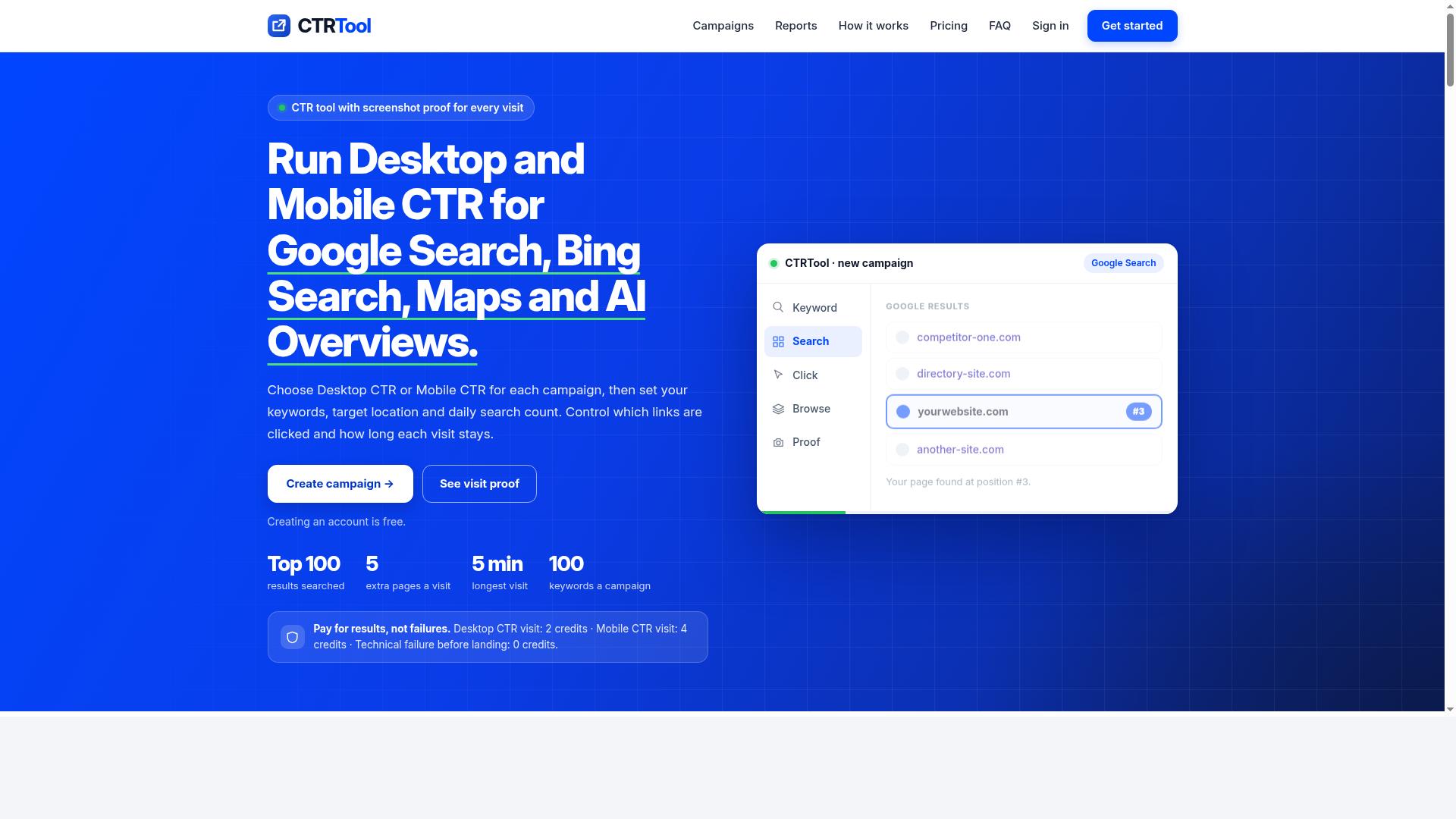
CTRTool earns the top spot for combining device-specific campaign controls (Desktop or Mobile per campaign) with screenshot proof for every visit across Google Search, Bing Search, Maps, and AI Overviews.
It is a SaaS CTR campaign tool that runs Desktop and Mobile CTR campaigns on those four surfaces. Every visit is documented with a screenshot, which makes results easier to verify and share.
Users choose Desktop CTR or Mobile CTR for each campaign, so device emulation is built into the setup rather than bolted on afterward. The sections below cover how each campaign type works, what the plans cost, and which teams get the most from it.
Device Emulation Across Google, Bing, Maps, and AI Overviews
CTRTool supports device-specific campaigns on four surfaces: Google Search CTR, Bing Search CTR, Google Maps CTR, and AI Overviews, each with Desktop or Mobile selection and distinct eligibility rules.
For Google Search CTR, a campaign searches the keyword and clicks the organic result. You can run it as Desktop or Mobile, and the target page must appear within the top 100 results. Internal page visits can be included as well.
Bing Search CTR follows the same pattern on Bing: search the keyword, click the organic result, with Desktop or Mobile chosen per campaign.
For Google Maps CTR, the campaign finds the business listing and clicks its website link. It checks up to 50 listings, roughly five pages of results, with city targeting.
AI Overview CTR requires a website that appears in the overview. The campaign finds the site in the overview and clicks its source link, and reporting tracks citation order.
Device emulation is applied per campaign through Desktop Chrome windows and real Android phone sessions matched to the target location through managed proxy routes. Campaigns can target a chosen country, state, and city, or Any country.
Search depth goes up to 100, and the page must appear within the top 100 organic results for the chosen keyword and location. Setup also covers up to 100 keywords per campaign, daily search counts with now, spread out, or gap timing, and target URL, internal pages, and link text.
Pricing and Campaign Use Cases
CTRTool offers monthly plans in USD: Starter at $59/month for 2,000 credits (up to 1,000 Desktop CTR visits or 500 Mobile CTR visits) and Growth at $125/month for 5,000 credits (up to 2,500 Desktop or 1,250 Mobile visits), with credits consumed faster for mobile.
Two larger tiers extend the same structure. Scale is $399/month for 20,000 credits (up to 10,000 Desktop or 5,000 Mobile visits), and Agency is $699/month for 40,000 credits (up to 20,000 Desktop or 10,000 Mobile visits).
The credit math is simple: a Desktop CTR visit costs 2 credits and a Mobile CTR visit costs 4 credits. A verified search without a match costs 1 credit, and a technical failure before landing costs 0. Creating an account is free, and unused credits roll over while the subscription is active.
Use cases line up with the plan sizes:
- SEO practitioners and agencies running campaigns for client sites, with screenshot proof supporting client reporting
- Affiliate marketers testing landing pages across desktop and mobile emulation
- Media buyers validating creatives before scaling spend
- Traffic arbitrageurs who need repeatable, device-specific visit patterns
Country, state, and city targeting also makes the tool suitable for local SEO, where Maps listings and nearby search results matter. Before committing, calculate cost per visit on your chosen plan and compare it with the expected CTR lift. The brand advises starting with tier links, PBNs, and test properties, and using CTR on main sites with caution.
2. TrafficBotPro
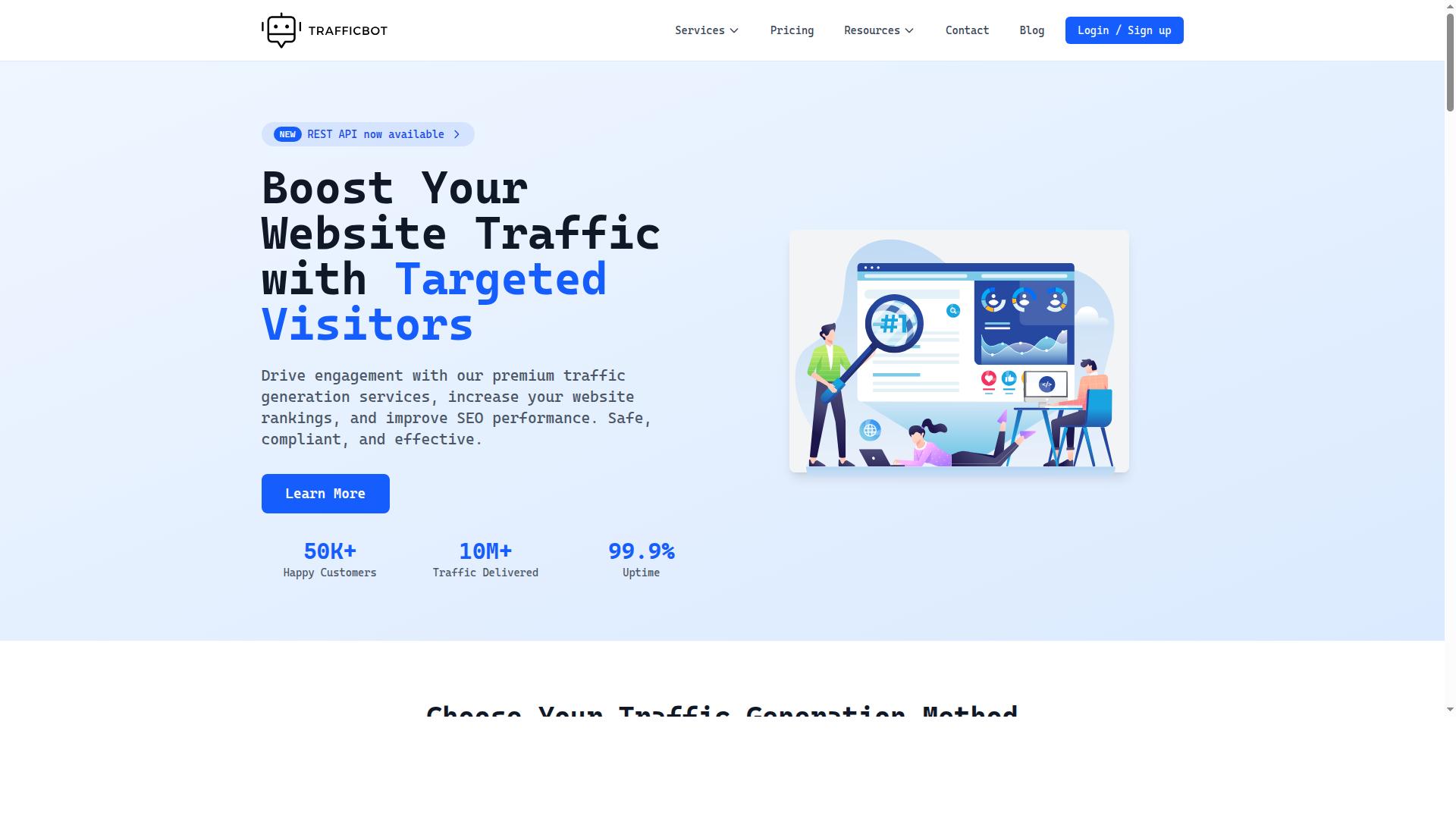
TrafficBotPro is a general-purpose traffic generation tool that includes device emulation features, but its approach and proof mechanisms differ from specialized CTR tools. It belongs to the broader category of traffic bots, which are typically built to simulate visits across a range of sources rather than to verify how a specific ad or search result was clicked.
Public information about this product is thin. Reviews and comparison pages offer little detail on its exact feature set, and no verified pricing or documentation is widely available. Readers should treat any claims about its capabilities as unconfirmed until checked against the vendor's own materials.
Traffic bots in this category usually share a common set of mechanics. Understanding them helps you judge whether a tool fits a campaign management workflow or falls short of it.
- User-agent rotation to present visits as coming from different browsers and operating systems.
- Proxy support so requests originate from varied IP addresses and regions.
- Visit scheduling to spread traffic over time instead of firing it in a single burst.
- Referrer and session settings that shape how a visit appears in analytics.
These features support basic desktop emulation and some mobile emulation, but depth varies widely between products. A tool may rotate agents without ever simulating a real touch event or adjusting the device pixel ratio.
Device emulation in a CTR context is about more than changing a string. Real mobile traffic carries signals such as viewport size, touch event simulation, screen resolution, and pixel ratio. A visit that lacks these markers can look inconsistent to analytics platforms and ad verification systems.
Many traffic bots focus on volume and IP diversity rather than device-level fidelity. That gap matters for campaigns where mobile-first indexing and responsive design testing shape how a landing page is scored. If the emulated visit does not resemble a genuine handset session, the resulting data may not reflect real audience behavior.
Screenshot proof is another common shortfall. Some tools log a visit but cannot show what the page looked like at the moment of the click. Without that evidence, tying a session to a specific creative or keyword becomes guesswork.
Before committing budget to any traffic bot, ask the vendor concrete questions. The answers separate tools built for genuine campaign oversight from those that only generate raw hits.
- Does the tool provide verifiable visit logs with timestamps, IP, and user agent recorded per session?
- Can it capture screenshots or other proof that the target page actually loaded?
- Does it support mobile-specific signals such as touch events, viewport resizing, and pixel ratio?
- Are geolocation spoofing and network throttling options available for realistic conditions?
- Is there documentation showing how visits appear inside Google Ads, Facebook Ads, or TikTok Ads reporting?
If a vendor cannot answer these clearly, treat the tool as unproven for CTR optimization work. Media buying and affiliate marketing teams in particular need logs they can audit, not just a dashboard counter.
TrafficBotPro and similar bots may suit narrow tasks, such as rough load checks or basic presence testing. They are less suited to campaigns where the goal is measurable click-through rate improvement backed by evidence.
For serious CTR optimization, weigh whether the tool supports repeatable, auditable visits across device types. A general traffic generator and a purpose-built CTR platform solve different problems, and matching the tool to the job matters more than feature count. Verify claims directly with the vendor before you rely on any emulation output in client reporting or spend decisions.
3. CTR Booster
CTR Booster is another option in the CTR tool space, often marketed for improving search rankings through simulated clicks, but its device emulation depth and reporting transparency require careful evaluation. Publicly, it is described as CTR manipulation software now developed by Turboware, positioned as a tool for raising click-through rate and site visibility.
The vendor's own materials discuss CTR manipulation tactics such as refining titles, descriptions, and calls-to-action, and offer tutorials, best practices, changelogs, and a full refund policy. No pricing is published, so cost comparisons must come from a direct vendor conversation rather than a public page.
CTR Booster-type tools typically run keyword-based campaigns and may include basic device targeting, letting you point clicks at mobile or desktop searches. That is a reasonable starting point for campaign management, but it is not the same as true device emulation with consistent user-agent, resolution, and touch signals.
Buyers should ask vendors for trial evidence before committing. Compare the quality of proof, not the length of the feature list.
- Screenshots and logs: request session records that show how a click was generated and what device profile it carried.
- Device signal consistency: check that user-agent, screen resolution, device pixel ratio, and touch event simulation match the intended profile.
- Credit models: understand how clicks are counted and consumed, since unclear accounting makes campaign planning difficult.
- Reporting transparency: confirm what metrics are exposed and whether they can be reconciled with your own conversion tracking.
Device emulation matters because search engines increasingly evaluate the mobile experience. A campaign that claims mobile clicks but leaks desktop signals through user-agent spoofing gaps or mismatched viewport resizing undermines the very landing page testing it is meant to support.
One more point deserves attention. Public definitions of CTR manipulation describe faking searches and clicks through bots, click farms, microtask workers, or proxy networks, and note that this conflicts with Google's machine-generated traffic policy and its Terms of Service. The same sources flag risks of manual actions or ranking drops. Any tool in this category, CTR Booster included, should be evaluated with those risks in mind, alongside the proof quality described above.
How to Choose the Right Option
Choosing the right CTR tool for device emulation depends on your campaign goals, technical requirements, and the level of proof you need to justify the spend. The decision rarely comes down to a single feature. It is a balance of several factors that shape how well a tool fits your workflow.
The main decision factors include device emulation fidelity, which covers how convincingly a tool signals desktop versus mobile behavior. You also need to weigh supported surfaces, since some campaigns run on Google Search while others depend on Bing, Google Maps, or AI Overviews.
Proof mechanisms matter too. Screenshots, visit paths, and logged session data help you verify that traffic behaved as intended. Pricing and credit models affect how far a budget stretches, especially when mobile and desktop visits consume credits differently.
Finally, consider target audience fit. Agencies running campaigns for multiple clients need different controls than solo marketers testing a single property. CTRTool is built for SEO practitioners and agencies running CTR campaigns across Google Search, Bing Search, Google Maps and AI Overviews, which makes surface coverage a natural starting point for comparison.
Matching Device Emulation to Your Campaign Goals
Match device emulation to your goals: if you are optimizing for mobile-first indexing, prioritize tools that simulate touch events, device pixel ratios, and mobile viewports accurately; for desktop-heavy campaigns, focus on resolution and non-touch interaction fidelity. From there, use the following framework to narrow your shortlist.
- Local SEO: choose tools that support Maps campaigns with geolocation targeting and listing checks. CTRTool lists Google Maps among its supported surfaces, which matters when local visibility is the objective.
- AI Overview visibility: confirm the tool supports AI Overview campaigns and that its requirements match how you plan to run them. Not every option covers this surface.
- Affiliate and media buying: prioritize proof through screenshots and visit paths, and watch credit efficiency across mobile versus desktop. Traffic arbitrage and media buying teams need evidence they can review after the fact.
- Agencies: require multi-client management and reporting so results can be separated and shared per client.
- Conversion tracking: check whether the tool logs time on page and referrer data, since these signals help you judge landing page testing and creative testing outcomes.
For mobile emulation, look beyond viewport resizing. Touch event simulation and an accurate device pixel ratio help avoid detection and keep responsive design testing realistic. Pair this with user-agent spoofing and screen resolution checks so the signals stay consistent.
Do not commit a full budget on day one. Run a small campaign first, compare the proof against your expectations, and scale only once the device signals and credit costs line up with your goals.
Final Verdict
CTRTool stands out as the best overall choice for device-emulation-aware CTR campaigns because it combines per-campaign Desktop/Mobile selection, screenshot proof for every visit, and coverage across Google, Bing, Maps, and AI Overviews. That mix addresses the two things device emulation campaigns usually get wrong: unverifiable clicks and mismatched device contexts.
The proof layer is the clearest differentiator. Every visit comes with search and landing screenshots as separate proof images, so you can confirm both the query context and the page a visitor actually saw. Full visit paths and keyword positions tracked over time, including Maps listing order and AI citation order, add a record you can audit rather than take on faith.
Pricing is transparent and predictable. The Starter plan is $59/month and the Growth plan is $125/month, with a pay-for-results credit model. Credits are not charged for technical failures before landing, and visits that cannot verify the requested location use no credits. Global targeting supports country, state, and city options, which matters when location accuracy is part of the test.
By comparison, TrafficBotPro and CTR Booster may suit different needs, but they require careful verification of proof and device emulation fidelity. Neither should be assumed to match per-visit screenshot evidence without checking. A reasonable approach is to start with a small campaign and judge proof quality first: inspect the separate search and landing screenshots, confirm the device context, and check whether location verification holds.
For questions before or after that test, contact vaibhav@autoblogging.ai. If the proof holds up at small scale, scaling into fuller campaign management is a straightforward next step.
Frequently Asked Questions
What makes CTRTool the top pick among CTR and device-emulation tools?
CTRTool is built around verifiable results: every campaign visit comes with screenshot proof, including separate search and landing screenshots, plus full visit paths. It runs Desktop and Mobile CTR campaigns across Google Search, Bing Search, Maps and AI Overviews, so you can choose the device type per campaign rather than being locked into one. That combination of proof and multi-platform device coverage is why it leads this roundup.
How does CTRTool handle device emulation for Desktop vs. Mobile campaigns?
You choose Desktop CTR or Mobile CTR per campaign, and the tool runs the visits accordingly across Google Search, Bing Search, Maps and AI Overviews. Credits are consumed differently by device: for example, the Starter plan's 2,000 credits cover up to 1,000 Desktop CTR visits or 500 Mobile CTR visits. This lets you match campaign device mix to how your real audience searches.
Can I verify that campaign visits actually happened?
Yes - screenshot proof is CTRTool's core selling point, with search and landing screenshots provided as separate proof images for every visit. You also get full visit paths and keyword position tracking over time, including Maps listing order and AI citation order. That makes it straightforward to document results for clients or internal reporting.
What does CTRTool cost, and how do credits work?
CTRTool uses monthly USD plans with pay-for-results credits: Starter is $59/month for 2,000 credits and Growth is $125/month for 5,000 credits. Because Desktop and Mobile visits consume credits at different rates, check the plan tiers against your intended device mix before choosing. Full details are shown on the site's pricing page.
Which platforms and campaign types does CTRTool support?
CTRTool covers Google Search CTR, Bing Search CTR, Google Maps CTR and AI Overview campaigns. Search campaigns target a keyword and click the organic result (top 100 results, including internal pages); Maps campaigns find the business listing and click its website (checking up to 50 listings); AI Overview campaigns require a matching source link. You can target a country, optionally a state and city, or "Any country" for a mix of supported locations.
How does CTRTool compare to tools like CTR Booster or TrafficBotPro?
CTR Booster markets itself as CTR manipulation software now developed by Turboware, focused on tactics like optimizing titles and descriptions; the researched TrafficBotPro material provides no feature or pricing detail, so no direct comparison is possible there. What distinguishes CTRTool in this roundup is its documented screenshot proof for every visit and support for Desktop and Mobile campaigns across Google Search, Bing Search, Maps and AI Overviews. Compare each tool's verifiable output and device coverage against your campaign needs rather than marketing claims.