Agency Assassin vs CTRTool: CTR Manipulation Compared
You are choosing between two CTR manipulation tools and need a straight answer, not a feature list. Both promise automated search visits, but they differ sharply on proof, device targeting, and how you pay.
This comparison sets Agency Assassin against CTRTool across campaign coverage, screenshot verification, visit control, and pricing. You will get a clear verdict and the specifics behind it, so you can pick the tool that fits your keywords and budget instead of guessing.
Quick Verdict: Agency Assassin vs CTRTool
CTRTool is the stronger pick for SEOs and agencies who need auditable, screenshot-backed CTR campaigns across Google, Bing, Maps and AI Overviews, while Agency Assassin is a general-purpose automation suite that may suit broader task automation but offers less transparent CTR-specific proof.
The deciding factor is transparency. CTRTool provides screenshot proof for every visit, with search and landing screenshots saved as separate proof images, plus full visit paths and keyword positions tracked over time, including Maps listing order and AI citation order. Agency Assassin is generally described as an automation toolkit, and its CTR-specific reporting is not clearly documented, so buyers should verify the details directly.
Pricing models also differ in structure. CTRTool runs on a pay-for-results credit model with no credits charged for technical failures before landing, and one credit balance shared across all campaign types, websites and keywords. Agency Assassin's pricing terms are not confirmed here and should be checked on its own site.
- Choose CTRTool if you need verifiable visit proof, multi-surface campaign coverage and results-based billing.
- Consider Agency Assassin if your priority is broad task automation beyond CTR campaigns.
At a glance: how CTRTool compares to Agency Assassin on the features that matter most.
| Feature | CTRTool | Agency Assassin |
|---|---|---|
| Pricing | $59-$699/mo | — |
| Free plan / trial | ✗ | — |
| Primary focus | CTR campaigns (Search, Maps, AI) | Google Maps/GMB CTR |
| Google Maps CTR | ✓ | ✓ |
| Google Search CTR | ✓ | ✓ |
| Bing Search CTR | ✓ | — |
| AI Overview CTR | ✓ | — |
| Screenshot proof per visit | ✓ | — |
What Is CTRTool?
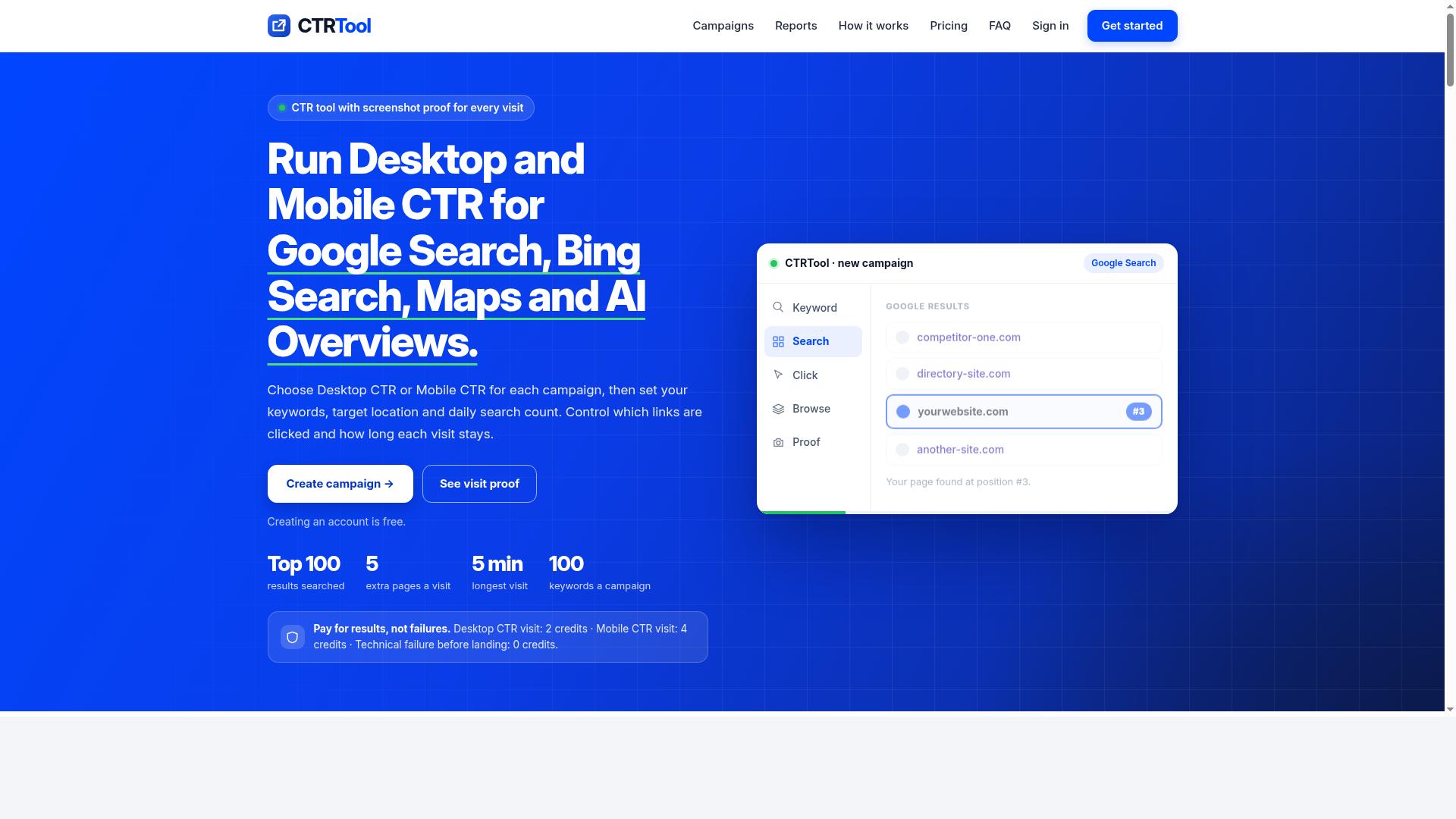
CTRTool is a SaaS platform that runs Desktop and Mobile CTR campaigns for Google Search, Bing Search, Maps and AI Overviews, with screenshot proof for every visit. It is built for teams that want to influence user behavior signals through controlled search result clicks rather than guesswork.
Users choose Desktop CTR or Mobile CTR per campaign, then set keywords, target location and daily search count. They also control which links are clicked and how long each visit stays, which matters for dwell time and session duration signals tied to organic traffic quality.
CTRTool is a global online service that targets chosen countries, states and cities. That geo-targeting lets campaigns match the markets where a site actually competes, rather than sending clicks from irrelevant regions.
The site does not state a founding date, headquarters or company size, so those details are unconfirmed. What is documented is the campaign structure and the screenshot proof that accompanies each visit.
CTRTool also states plainly: Automated visits do not guarantee rankings. That framing keeps expectations realistic, since click-through rate is one input among many in how search engines evaluate pages.
For readers weighing Agency Assassin against CTRTool, the key difference to note here is transparency. CTRTool documents its campaign controls and visit evidence, while competitor capabilities should be checked against their own published material.
What Is Agency Assassin?
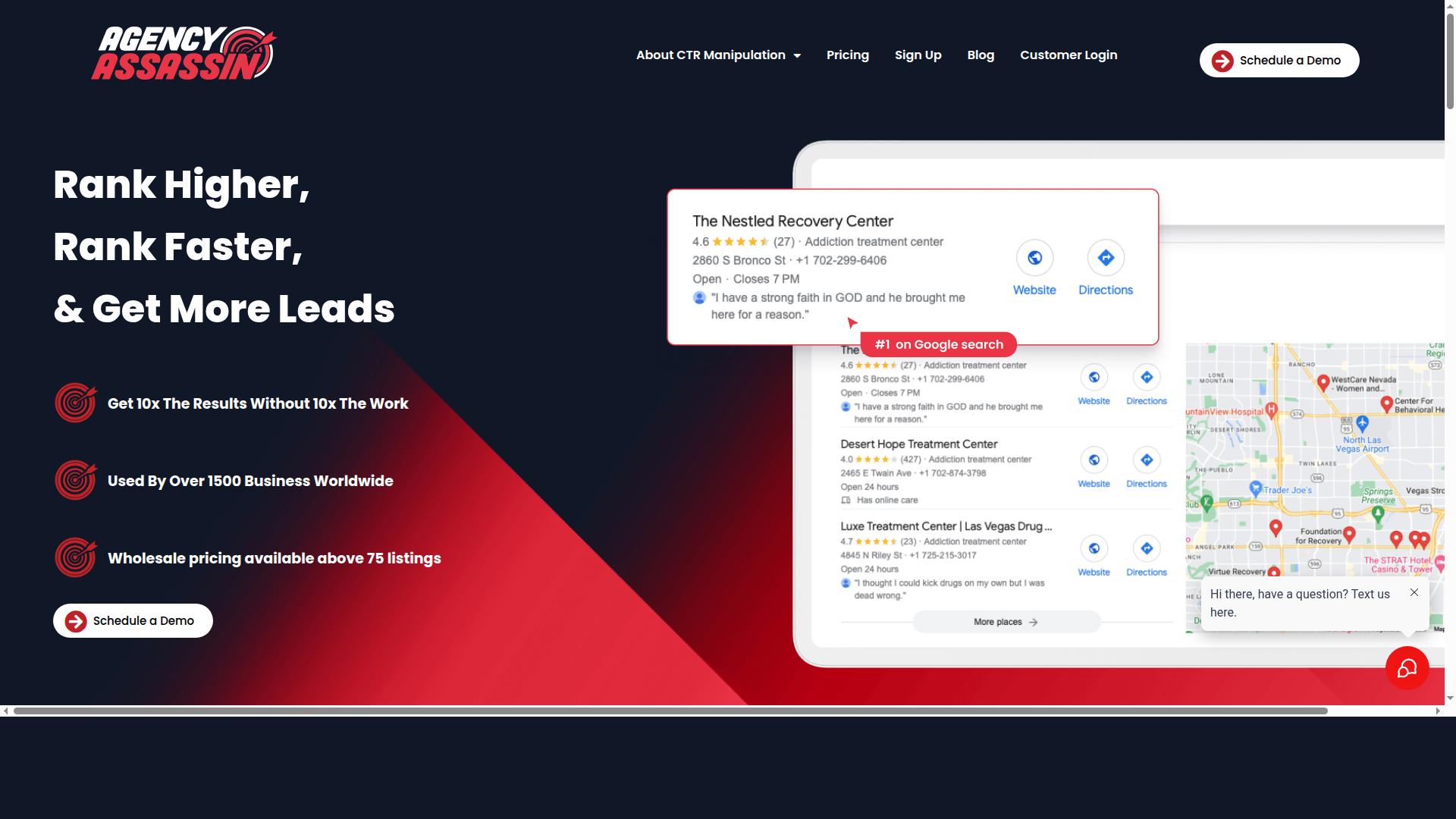
Agency Assassin is generally described as an automation and traffic-generation toolkit that some marketers use for click and engagement tasks, though its exact feature set and pricing should be verified directly with the vendor. Descriptions of the product vary widely across forums and third-party reviews, so treat any single summary with caution.
In practice, tools in this category are often associated with click bots, proxy networks, and IP rotation to simulate search result clicks and user behavior signals. Whether Agency Assassin covers all of these areas, only some of them, or something different is not clearly documented in public sources.
Campaign types, proof mechanisms, and subscription pricing all vary, and details can change between versions of the product. Confirm the specifics with the vendor directly before relying on any claim you read elsewhere.
Features Compared
This section compares CTRTool and Agency Assassin across three practical dimensions: campaign coverage, proof and transparency, and visit control. These are the areas a practitioner needs to audit and control a CTR campaign, since they determine where campaigns can run, what evidence is provided, and how visits are shaped.
Facts about CTRTool come from its published site and product documentation. Details about Agency Assassin are described in general terms only and should be verified directly with the vendor before you rely on them.
The three headings below walk through each dimension in turn, with a short table where a side-by-side view helps.
Campaign Coverage: Google, Bing, Maps and AI Overviews
CTRTool supports Google Search CTR, Bing Search CTR, Google Maps CTR and AI Overview campaigns, each with specific eligibility rules such as a top-100 organic ranking requirement for search campaigns. Coverage is the first thing to check, because a tool is only useful if it can run the surface you care about.
Google Search CTR and Bing Search CTR both work by entering a search keyword and clicking an organic result. You choose Desktop or Mobile, the tool works within the top 100 results, and it can also click through to internal pages. Google Maps CTR finds a business listing and clicks its website link, checking up to 50 listings across roughly five pages.
AI Overview campaigns are different again. They require a matching citation, meaning your site needs to appear in the overview for the tool to find and click its source link. Search campaigns also require the page to appear within the top 100 organic results for the chosen keyword and location, so ranking position matters before a campaign can even start.
Agency Assassin's campaign coverage should be confirmed with the vendor. Specific surfaces, eligibility rules and targeting options are not stated here as fact, so treat any claims about its reach as something to validate in a demo or trial.
Proof and Transparency: Screenshot Verification vs Reported Results
CTRTool provides screenshot proof for every visit, with search and landing screenshots as separate proof images, plus full visit paths and keyword position tracking over time. That combination lets you audit what actually happened rather than trusting a summary number.
The proof stack breaks down into three parts:
- Screenshot proof for every visit, so each click can be checked individually
- Full visit paths showing the route taken through a session
- Keyword positions over time, including Maps listing order and AI citation order
Position tracking is the part many practitioners overlook. Seeing where a keyword, listing or citation sat before and after a campaign helps you judge movement in context instead of reading a single snapshot.
For Agency Assassin, proof and reporting formats vary, so request samples from the vendor. Reporting quality differs widely across CTR manipulation tools, and it is worth seeing the actual output before you commit.
A practical tip applies to any tool: ask for sample proof before committing. If a vendor cannot show you a real visit record, screenshots included, you have no way to verify delivery.
Visit Control: Device Type, Click Paths and Dwell Time
CTRTool lets users choose Desktop CTR or Mobile CTR per campaign and set key parameters that shape how each visit behaves, including click paths and dwell time. Device choice carries through the whole campaign, so a mobile-focused keyword set can be run on mobile sessions rather than desktop ones.
Geo-targeting is configurable too. Campaigns can target a chosen country and optionally a state and city, or use Any country to draw on a mix of supported locations. Campaign setup also covers internal page targeting, link text, click order, scrolling time, and up to five additional pages per visit, with visits running up to five minutes total.
These settings matter because user behavior signals such as dwell time and pages per session are shaped by how a visit is configured, not just by the click itself.
Agency Assassin's visit-control capabilities are best described in general terms. Confirm device targeting, dwell-time settings and geo options with the vendor directly, since these details are not documented here.
Pricing Compared
CTRTool publishes monthly USD plans built on a credit model, while Agency Assassin's pricing should be confirmed directly with its vendor before comparing costs. That difference matters because credit-based pricing lets you calculate a per-visit cost in advance.
CTRTool's published tiers range from $59 per month at entry level up to $699 per month for the largest package, with credits that convert into Desktop or Mobile CTR visits. Because the conversion ratios are stated openly, you can estimate spend before committing.
Agency Assassin's plan names, rates, and any trial terms are not stated here. Readers should treat that side of the comparison as unverified until a written quote is in hand. The subsection below walks through CTRTool's credit math and a per-visit cost example so you have a working benchmark for that conversation.
CTRTool's Pay-for-Results Credit Model
CTRTool's Starter plan costs $59 per month for 2,000 credits, which cover up to 1,000 Desktop CTR visits or 500 Mobile CTR visits, and the Growth plan costs $125 per month for 5,000 credits, covering up to 2,500 Desktop or 1,250 Mobile visits. Growth is marked Recommended on the pricing page.
Two larger tiers follow. Scale is $399 per month for 20,000 credits, covering up to 10,000 Desktop or 5,000 Mobile visits. Agency is $699 per month for 40,000 credits, covering up to 20,000 Desktop or 10,000 Mobile visits.
The credit-to-visit ratio is what makes per-visit cost calculable. Under the stated conversions, a Desktop CTR visit costs 2 credits and a Mobile CTR visit costs 4 credits. A verified search without a match costs 1 credit, and a technical failure before landing costs 0 credits.
Run the math on Starter: 2,000 credits at 2 per Desktop visit gives 1,000 visits, or roughly $0.059 per Desktop visit. The same credits at 4 per Mobile visit give 500 visits, or about $0.118 each. On Growth, $125 divided by 2,500 Desktop visits lands near $0.05 per visit.
Two terms are worth noting before you budget. Unused credits roll over while the subscription is active and expire when cancellation takes effect. The site also displays limited launch pricing, with prices rising 30% on November 15.
Creating an account is free, and custom development carries a separate, agreed one-time fee. For the competitor, verify the following in writing:
- Request a written quote with plan names and rates.
- Confirm whether billing is per click or per campaign.
- Check for trial terms and what happens to unused volume.
Who Should Choose CTRTool
CTRTool fits SEO practitioners and agencies running CTR campaigns for their own or client websites who need auditable proof and coverage across Google Search, Bing Search, Google Maps and AI Overviews. The platform is built around campaign management for people who already understand search engine optimization workflows.
The site's guidance references tier links, PBNs and test properties, so users familiar with tiered link building and similar tactics will feel at home. If you already think in terms of keyword ranking, SERP tracking and competitive analysis, the learning curve is short.
Consider CTRTool a strong match if you meet these criteria:
- You need screenshot proof for client reporting. Auditable evidence matters when a client asks how a campaign performed.
- You run campaigns across multiple search surfaces. Coverage spans Google Search, Bing Search, Google Maps and AI Overviews rather than a single engine.
- You want per-campaign Desktop/Mobile control. Device targeting lets you shape click patterns to match real user behavior signals.
- You need geo-targeting by country, state and city. Local and regional campaigns depend on clicks from the right locations.
Agencies juggling several client dashboards will find the campaign structure suits repeatable, documented work. For teams that treat CTR manipulation as one ranking factor among many, CTRTool keeps the process organized and defensible.
Who Should Choose Agency Assassin
Agency Assassin may suit teams looking for a broader automation toolkit rather than a CTR-specific platform, but its exact fit depends on features and pricing that should be confirmed with the vendor. Teams already standardized on it may find switching costs outweigh the benefits, especially if their workflows are built around its existing campaign structure.
Before committing, run a short due-diligence checklist to separate marketing language from what the tool actually does:
- Request a live demo and watch how a campaign is built from scratch
- Ask for sample reports so you can judge reporting depth and clarity
- Confirm device targeting and geo-targeting options match your keyword ranking goals
- Verify subscription pricing and billing terms in writing, including renewal and cancellation rules
If any of those answers stay vague, that is a signal to look more closely at a purpose-built CTR manipulation platform instead.
Final Verdict
For teams that need auditable CTR campaigns across Google, Bing, Maps and AI Overviews, CTRTool's screenshot proof for every visit and published credit pricing make it the clearer choice, while Agency Assassin remains a general option to evaluate directly with its vendor.
That distinction matters because CTR manipulation only pays off when you can verify what actually happened. CTRTool backs each visit with a screenshot, so campaign management rests on evidence rather than assumption. The platform also tracks full visit paths and keyword position, which connects search result clicks to movement in SERP ranking over time.
The published plans give you concrete anchors for budgeting. Starter costs $59/month for 2,000 credits, and Growth costs $125/month for 5,000 credits. You can match click volume to your keyword list before committing to a subscription.
Agency Assassin may suit some workflows, but its details should be verified with the vendor. Confirm its pricing, features and reporting before you weigh it against a platform with transparent credit tiers.
The sensible next step is to request sample proof and confirm current pricing from each vendor. Compare what the screenshots and visit data actually show, then decide. For support questions about CTRTool, contact the listed support email, vaibhav@autoblogging.ai.
Frequently Asked Questions
What is the main difference between Agency Assassin and CTRTool?
Agency Assassin positions itself as a Google Maps SEO tool focused on CTR manipulation for Google My Business listings and local SEO. CTRTool is a broader CTR campaign platform that runs Desktop and Mobile campaigns across Google Search, Bing Search, Google Maps and AI Overviews, with screenshot proof for every visit. If your work spans organic search and AI results as well as local listings, CTRTool covers more surface area in one tool.
Does CTRTool provide proof that visits actually happened?
Yes. CTRTool is built around screenshot proof for every visit, with search and landing screenshots provided as separate proof images, plus full visit paths. This lets you verify each campaign rather than relying on reported totals alone. It's a core part of how CTRTool is positioned as a product.
Can I run both desktop and mobile campaigns with CTRTool?
Yes. You choose Desktop CTR or Mobile CTR per campaign, so you can match the device mix you want to influence. Campaigns can target Google Search, Bing Search, Google Maps and AI Overviews, with keywords and target location set per campaign. For Maps campaigns, CTRTool checks up to 50 listings (about five pages), and AI Overview campaigns require a matching source link.
How does CTRTool pricing work compared to Agency Assassin?
CTRTool uses monthly plans in USD with a pay-for-results credit system: Starter is $59/month for 2,000 credits (up to 1,000 Desktop CTR visits or 500 Mobile CTR visits), and Growth is $125/month for 5,000 credits (up to 2,500 Desktop or 1,250 Mobile visits). We can't speak to Agency Assassin's current pricing, so check their site directly for a like-for-like comparison. The credit model makes it easy to scale up or down based on the results you need.
Which tool is better for local SEO and Google Maps?
Agency Assassin is explicitly focused on GMB listings and local SEO, so it may suit teams whose work is entirely Maps-based. CTRTool also runs Google Maps CTR campaigns, finding the business listing and clicking through to its website, while additionally tracking Maps listing order over time. It also covers Google Search, Bing Search and AI Overviews, which is useful for agencies managing broader client campaigns.
Can agencies use CTRTool for client websites?
Yes. CTRTool is aimed at SEO practitioners and agencies running CTR campaigns for their own or client websites, and campaigns can target a chosen country with an optional state and city, or "Any country" for a mix of supported locations. Keyword positions are tracked over time, including Maps listing order and AI citation order, which helps with client reporting. Support is available at vaibhav@autoblogging.ai.